Clarity first
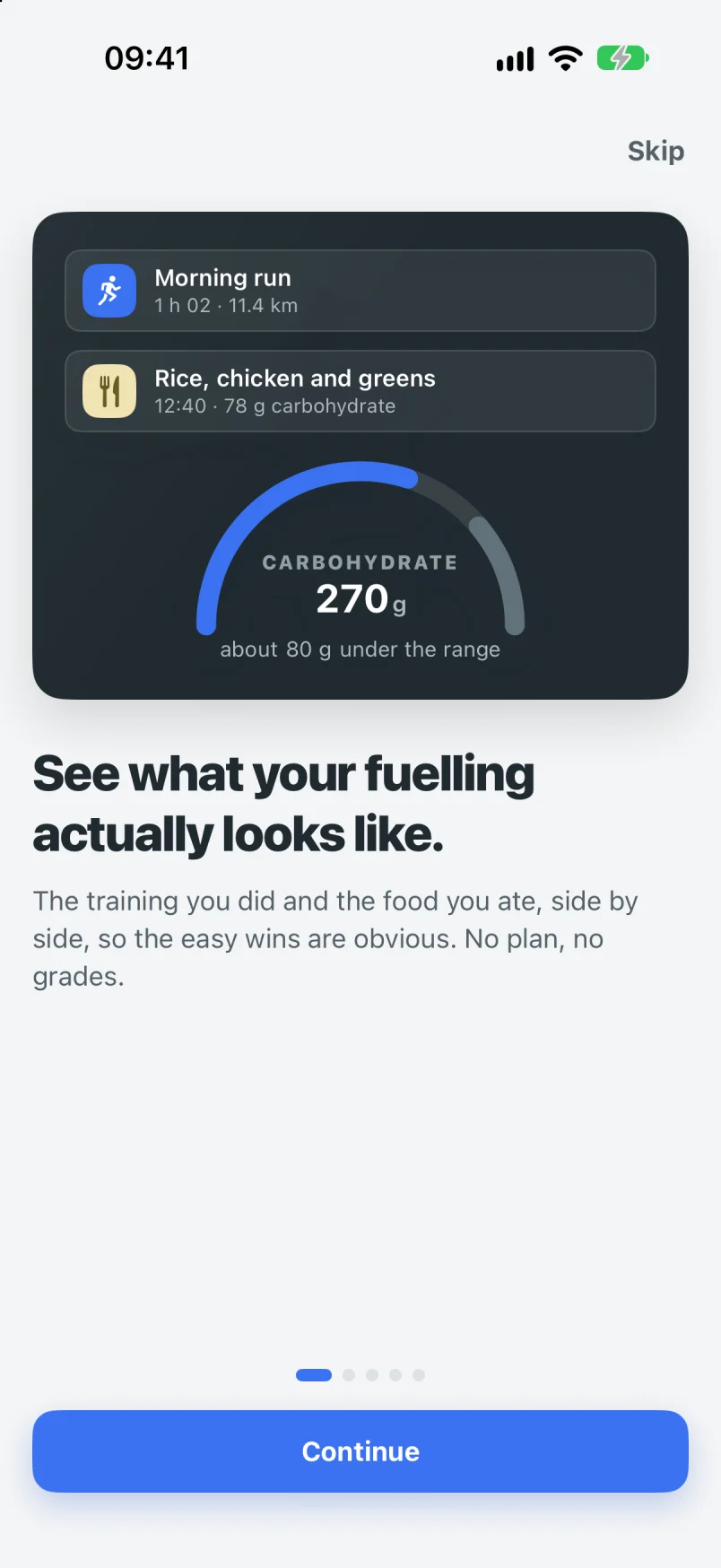
What did I do today, what did I eat, did they match? Answered by the time you’ve finished your coffee, not after a twenty-minute setup and a periodised calendar.
iPhone · In testing · Launching soon
FeedSnap puts the training you did and the food you ate on one timeline. You decide what matters. Snap the plate, scan the label, and see the gap against a range built from your real sessions. Not a plan. A mirror.
Coming soon to iPhone
One Apple Health connection covers your watch. No extra logins.
Why another nutrition app
You already train. You already eat. What you can’t see is whether the two line up, and where the obvious fix is. That’s the question FeedSnap answers, for people with a job, a family and a Saturday long ride squeezed in before lunch.
What did I do today, what did I eat, did they match? Answered by the time you’ve finished your coffee, not after a twenty-minute setup and a periodised calendar.
A missed lunch log, a chaotic week, a day above the range: all normal, all shown calmly. Nothing turns red. There are no streaks to break and no scores to protect.
For most of us the gains are in the first 20% of effort: enough carbohydrate on hard days, something after the long ride, protein before dinner. FeedSnap points at the one thing worth noticing.
How it works
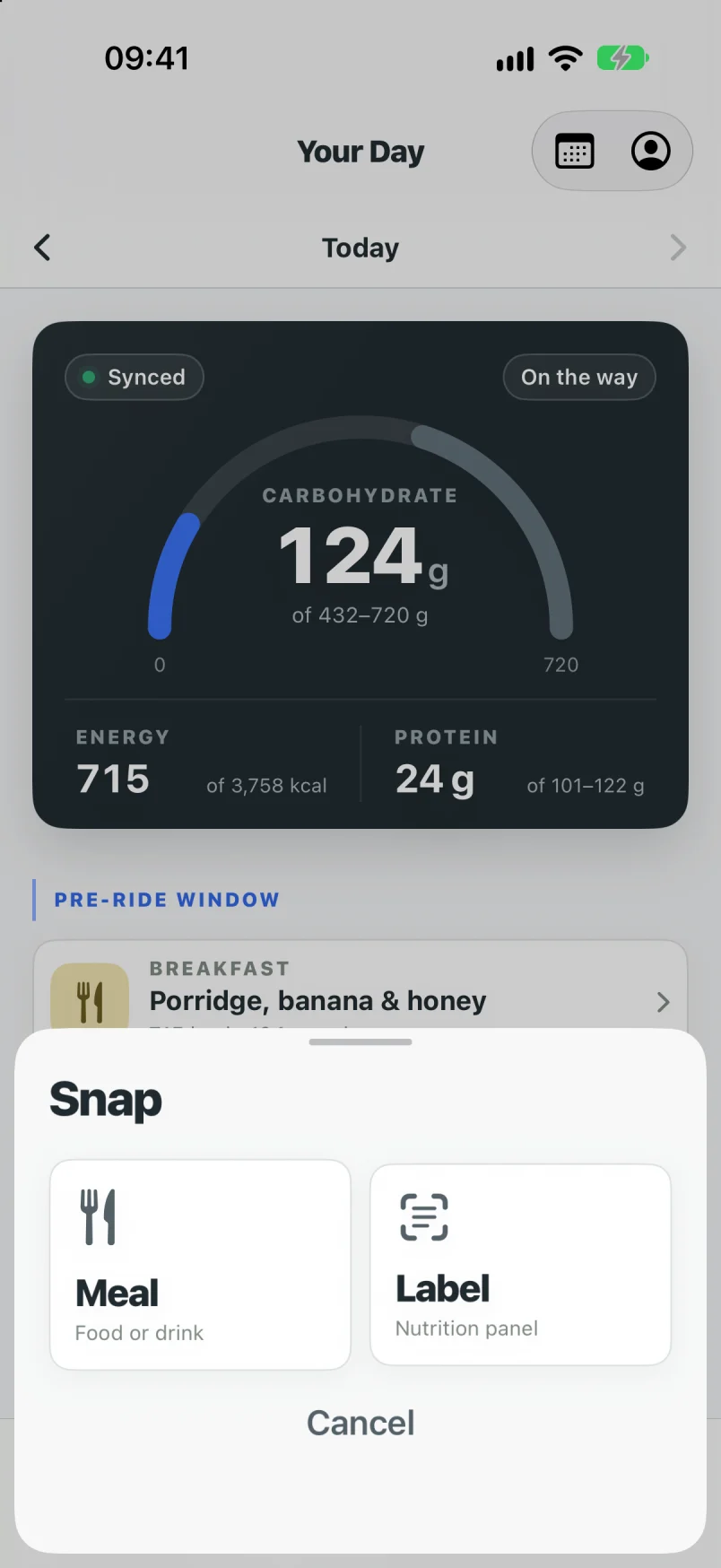
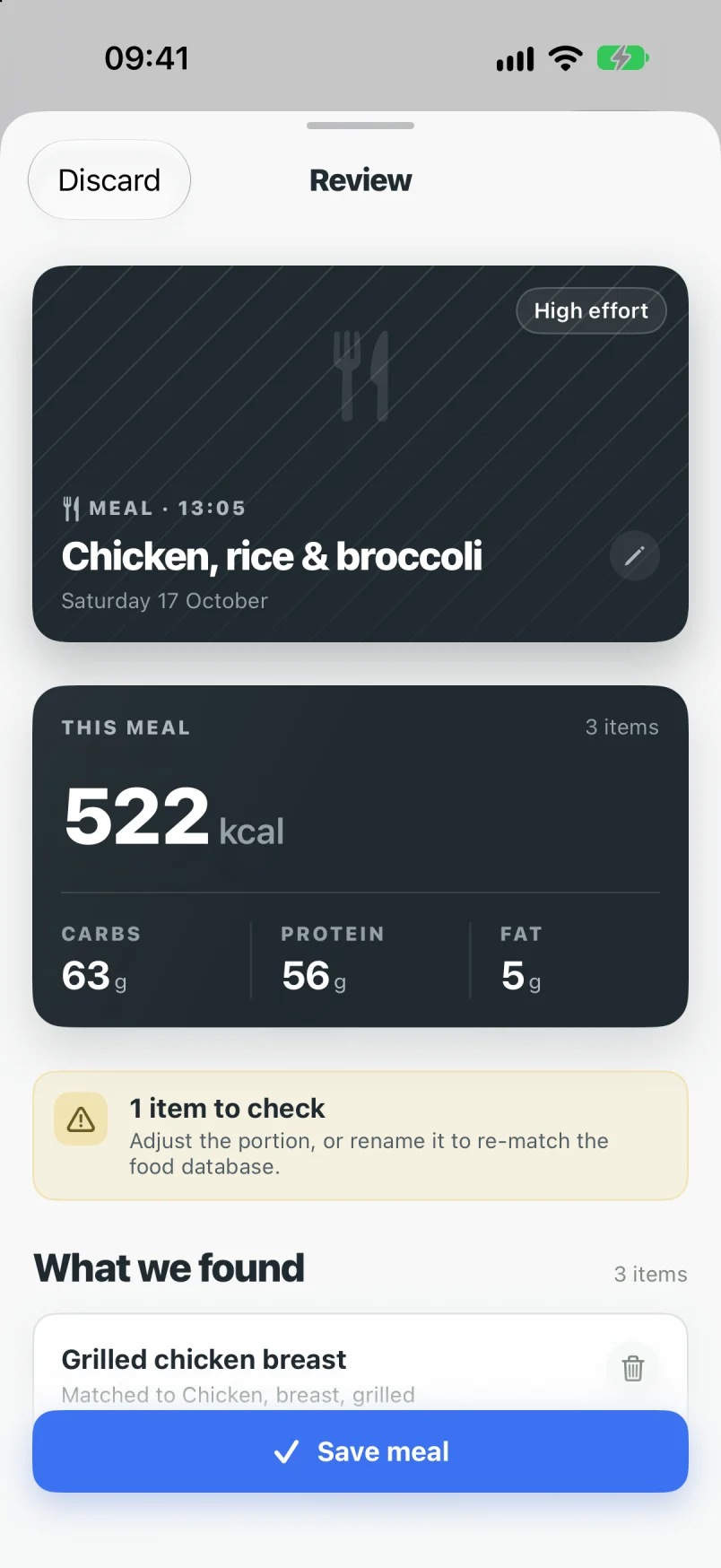
Point the camera at anything you eat or drink and get carbohydrate, protein and energy in seconds. Got a nutrition panel? Scan it. The label is exact, so use it when you can, and scanned products are remembered for next time.
Every number is editable, and the ones we’re unsure about say so. Mixed plates are hard for any camera; treat the first pass as a first guess and nudge anything that looks off.
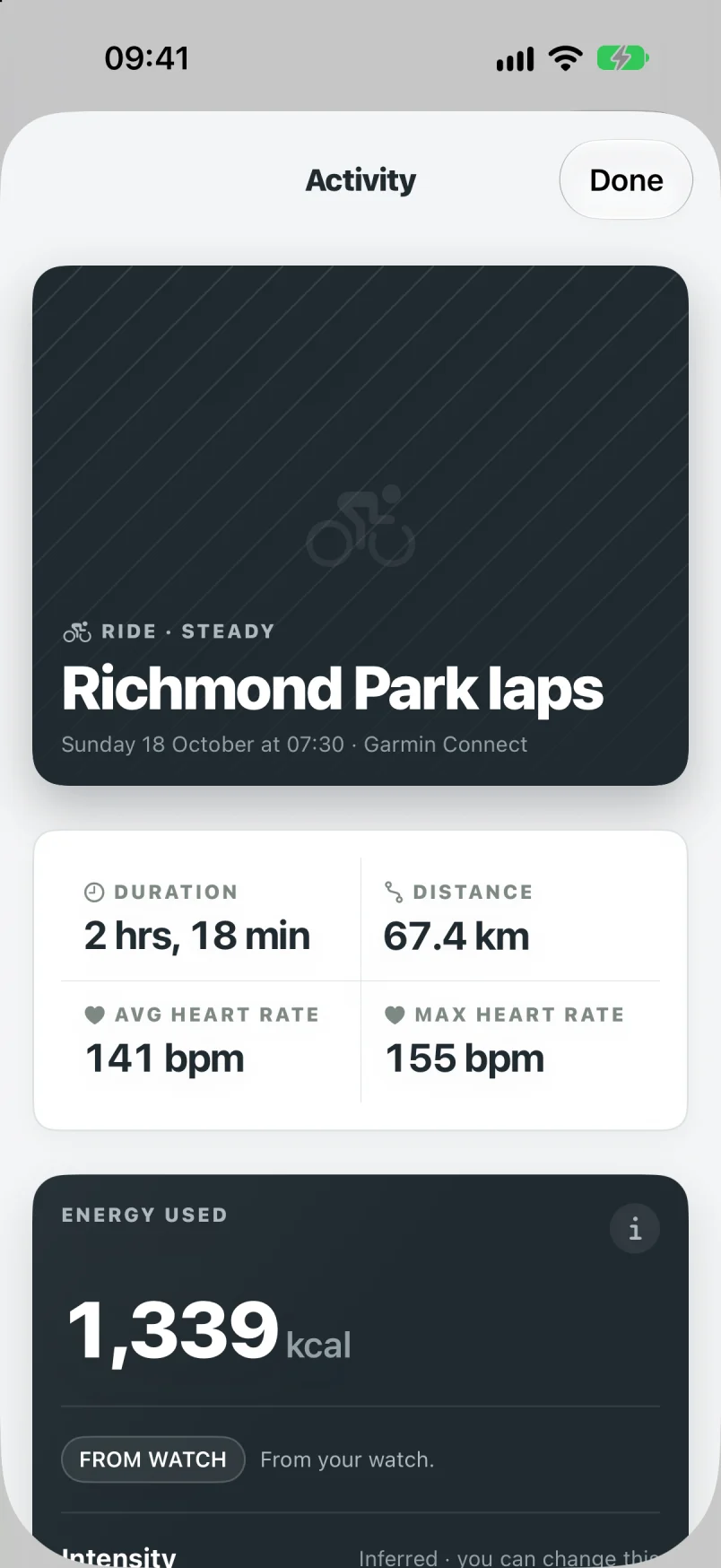
Connect Apple Health once and every session shows up with its duration, distance, heart rate and the energy figure your watch recorded. No calendar to maintain, no sessions to type in.
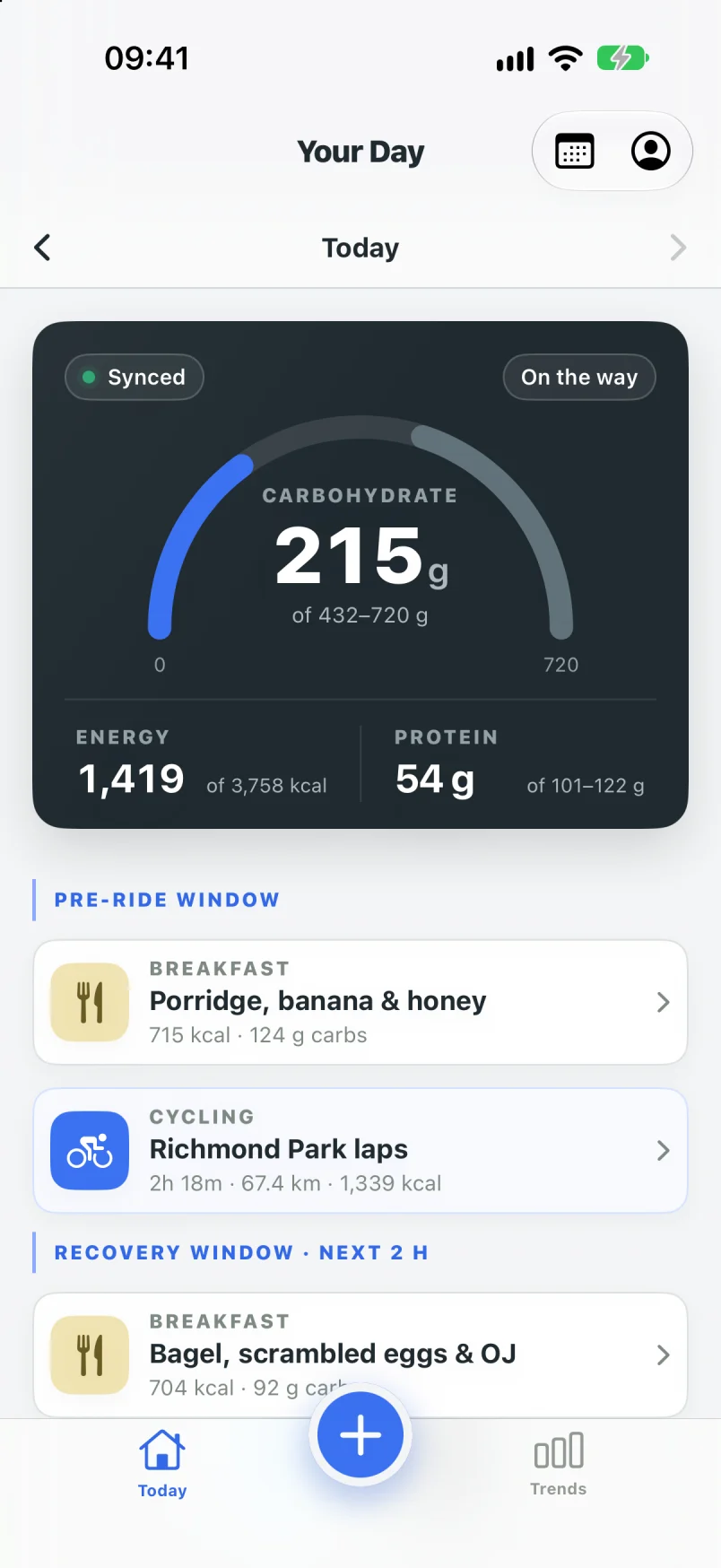
Each session sets the day’s carbohydrate range, shows the meals in the three hours before and two hours after, and says what’s typical to take on board during a session that long.
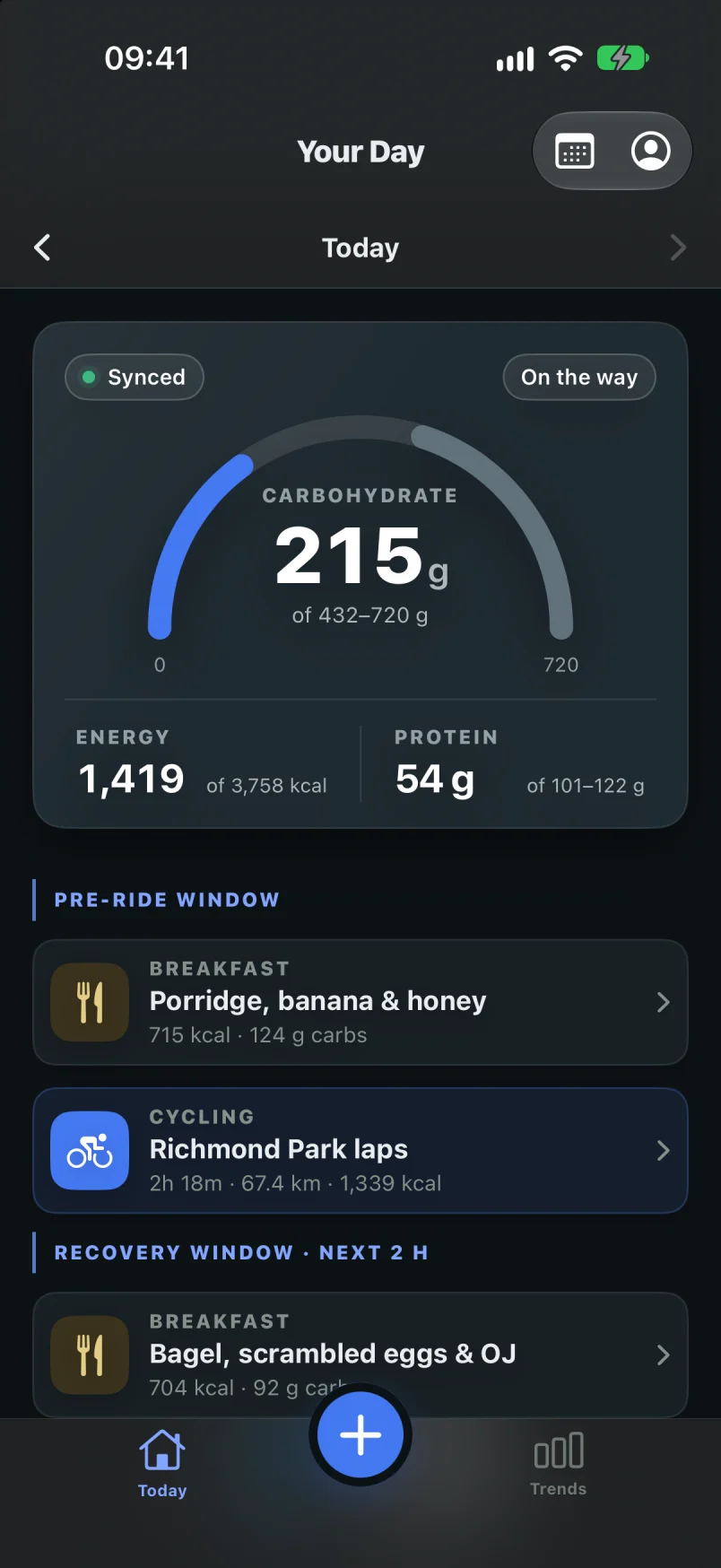
Today shows intake against a range for a day like this one, with your food and your training on a single timeline. Pre-session and recovery windows sit right where they happen, so “nothing after the long ride” is visible at a glance.
The number is the story. There’s no percentage of goal achieved, no day rated B+, and no notification telling you off.
Ranges, not targets
Carbohydrate guidance for endurance training is published in grams per kilo for the day you had: lighter on rest days, higher on long ones. FeedSnap shows that as a band and fills towards it. Being inside the band is the goal. Being a little outside it is information, not failure.
Every value from a photo is prefixed “about”, and every derived number can tell you how it was worked out. The app looks like it knows it’s estimating, because it is.
About 217 g under the range for a day like this.
The words matter as much as the numbers
Free today. Pro over time.
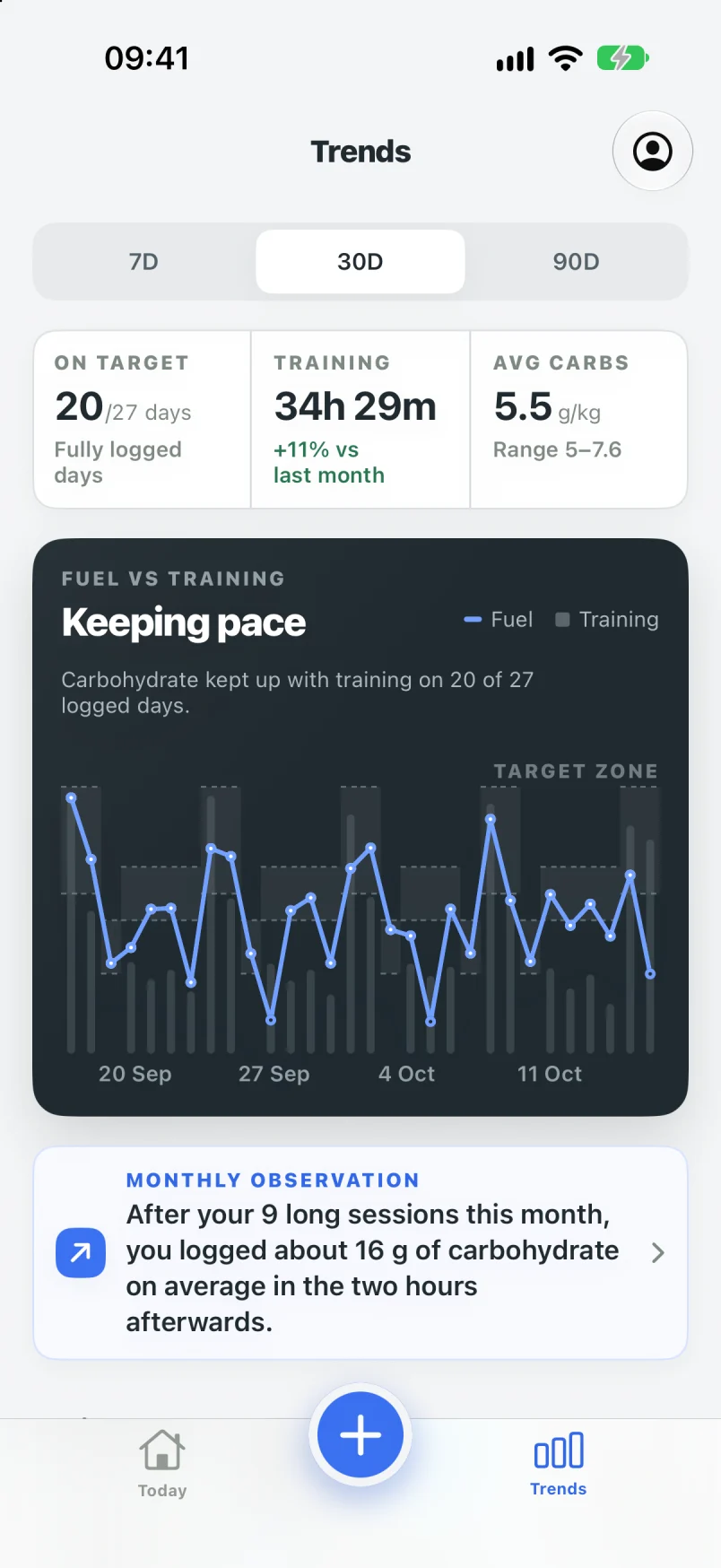
Logging and today’s picture are free, for good, including your training from Apple Health. Pro is for the patterns that only show up over weeks: the long rides you never refuel after, the Tuesdays that are always half logged, the month training went up and carbohydrate didn’t.
Observations describe; they never prescribe. Each one shows how it was worked out, and which days were left out because they weren’t fully logged.
Three honest things
Numbers from a photo are often 15 to 20% out before you check them. That’s why the app says “about”, flags what it isn’t sure of, and makes correcting a portion a two-tap job.
FeedSnap describes what happened. It doesn’t tell you what to eat. For personal guidance talk to a registered sports dietitian or your GP, especially with a medical condition, pregnancy, or a history of disordered eating.
No account. Food logs and Health data live on your iPhone. Photos are analysed on-device or by Apple’s Private Cloud Compute and are never stored by us.
What FeedSnap is not
Coming soon
There’s no App Store link yet. It will be here as soon as FeedSnap is live. Questions in the meantime go to hello@feedsnap.me.
Coming soon to iPhone
Privacy
FeedSnap has no account, no analytics and no ads. Food logs and Apple Health data stay on your iPhone, with an optional backup in your own iCloud.
This website doesn’t use cookies or collect anything. The full detail is in the privacy policy.